Rest reports the inspector can read
Paper logs make window checks difficult. The monthly report brings recorded work/rest data, split-rest review, account sign-off, and an exportable PDF together.
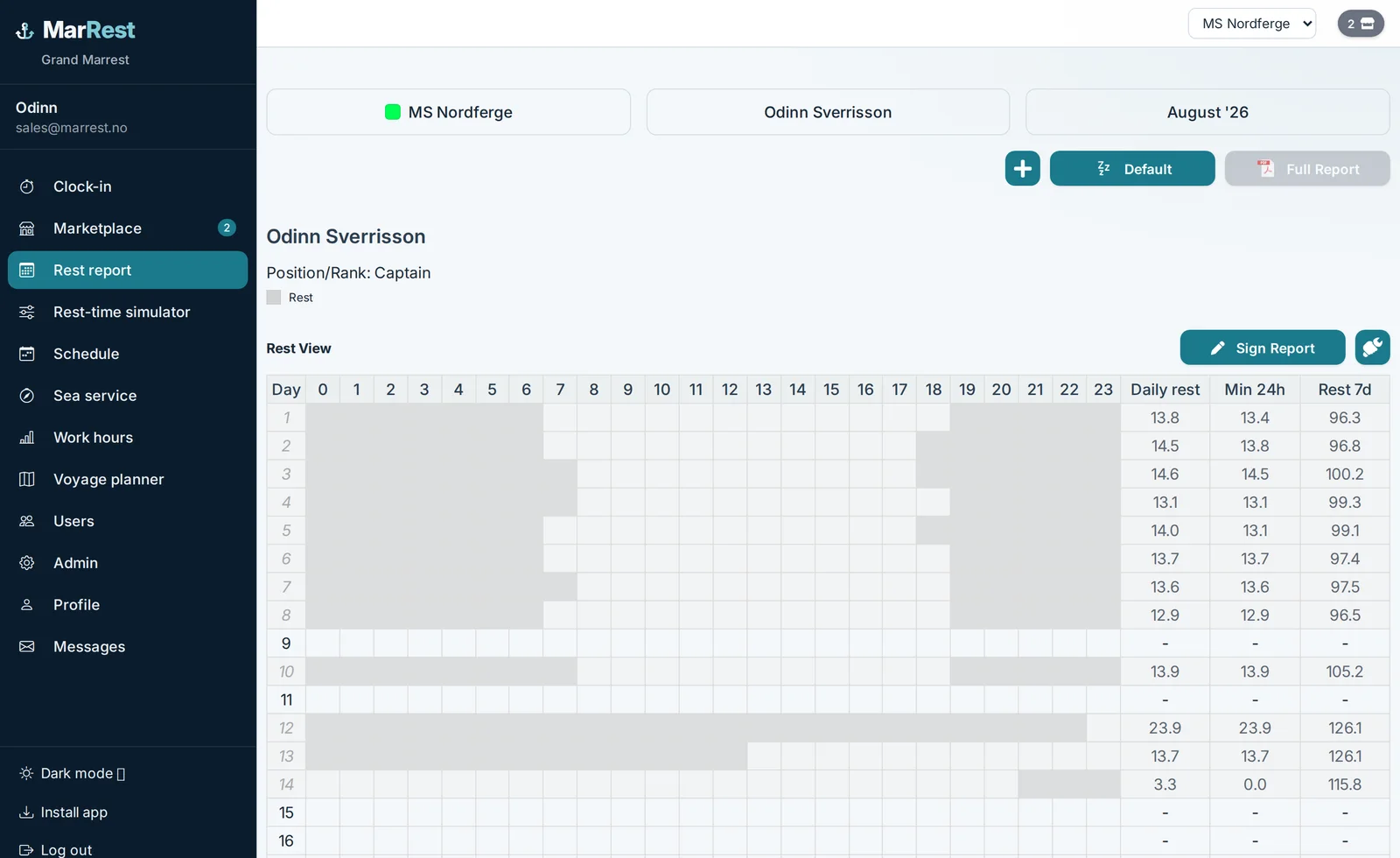
The day is recorded at clock-in. The report presents 24-hour rest at hourly checkpoints, 168-hour rest at daily/report checkpoints, and a separate split-rest review. Each PDF covers one person on one vessel, while rest history can follow the crew member across vessels within the organization. The parent topic is passenger vessel rest-hour compliance.
Quick Answer
The monthly rest report shows work and rest per day, 24-hour rest at hourly checkpoints, 168-hour rest at daily/report checkpoints, and split-rest as a separate review type. Crew lock the month; the captain uses account sign-off and finalizes it. The PDF prints names but not signature timestamps. A what-if sandbox tests a change without altering recorded work/rest data.
Account sign-off, lock, PDF
Crew lock their month. Captains can force-lock, use account sign-off and finalize, or unlock when a correction is needed. After sign-off, edits stay in a change log. The PDF prints crew and captain names, but it does not currently print signature timestamps and is not a PKI digital signature. Reports and PDFs follow the user’s language (Icelandic, Norwegian, or English).
Where the company turns it on, a captain or administrator can also approve a completed workday for a vessel and confirm that recorded working hours are correct. That step is separate from monthly account sign-off and finalization.
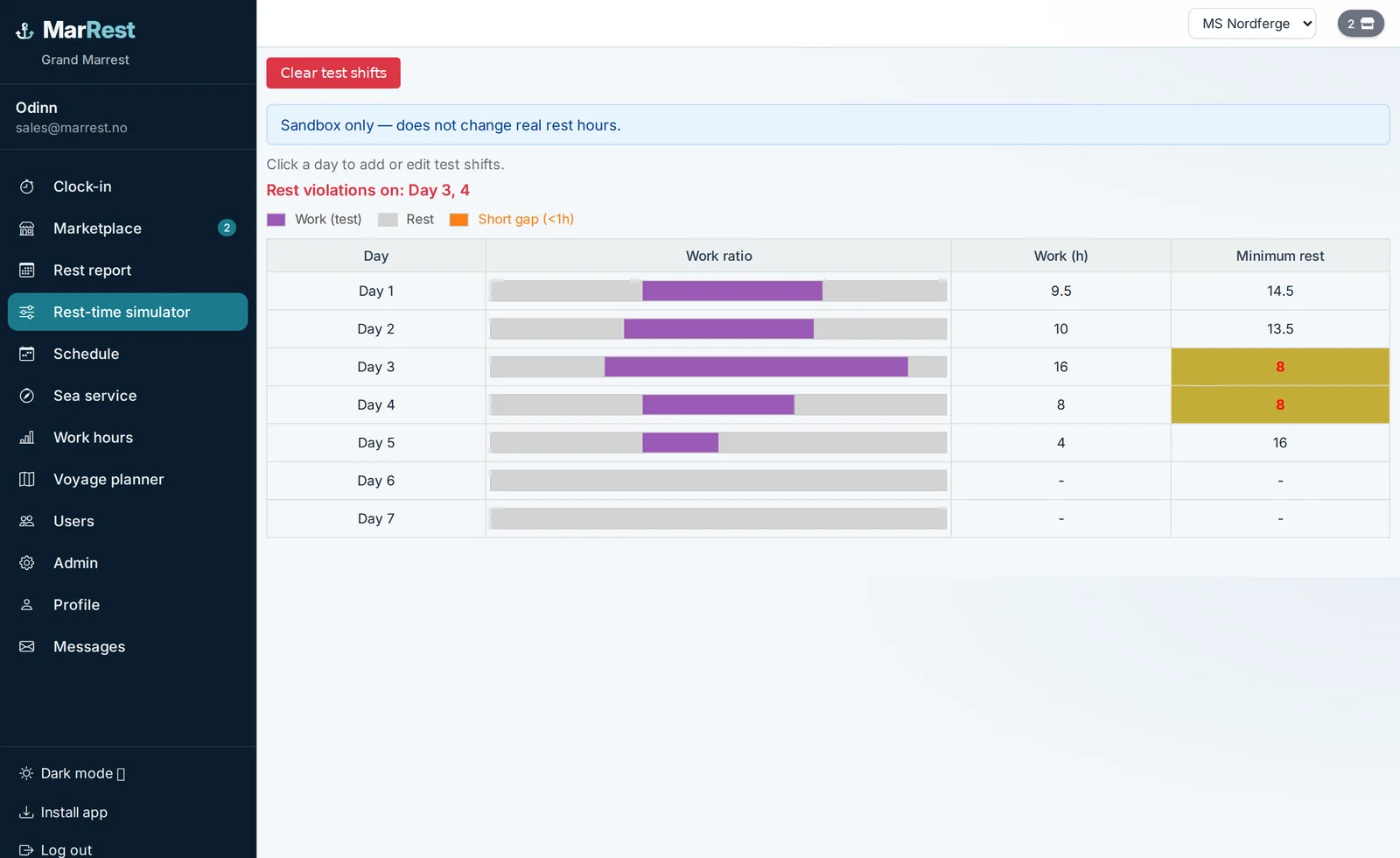
What-if preview
The sandbox week uses the same checkpoint calculations as the report. Add test watches, see minimum rest, and clear them. Nothing is written to work logs. That is the place to try an extra evening sailing without changing the monthly record.
Frequently Asked Questions
What limits are checked?
MarRest evaluates 24-hour rest at hourly checkpoints and 168-hour rest at daily and report checkpoints. Split-rest is a separate selected-checkpoint analysis that bridges gaps under one hour and also gaps under six hours; it does not model legal exceptions.
Does a red cell block the next watch?
No. A red cell is a warning to review. The captain still decides. Shifts are not blocked automatically.
In which language are the reports?
Reports and PDFs follow the language in the user’s profile: Icelandic, Norwegian, or English. Switch to English and export again if you need an English copy.
See MarRest on your vessel
Request a free demo and walk through rest-hour logging with captains who built the system.
See MarRest on your vessel