Clock-in on the phone
Recorded work/rest data should match the day as it happened. Clock-in records start and stop times on a named vessel, with rest in the last 24 hours on the same screen.
The limits behind this screen are the passenger-vessel rest rules: 10 hours rest in 24 hours, 77 hours in 168 hours, and split rest 6h/14h. See passenger vessel rest-hour compliance for the parent topic.
Quick Answer
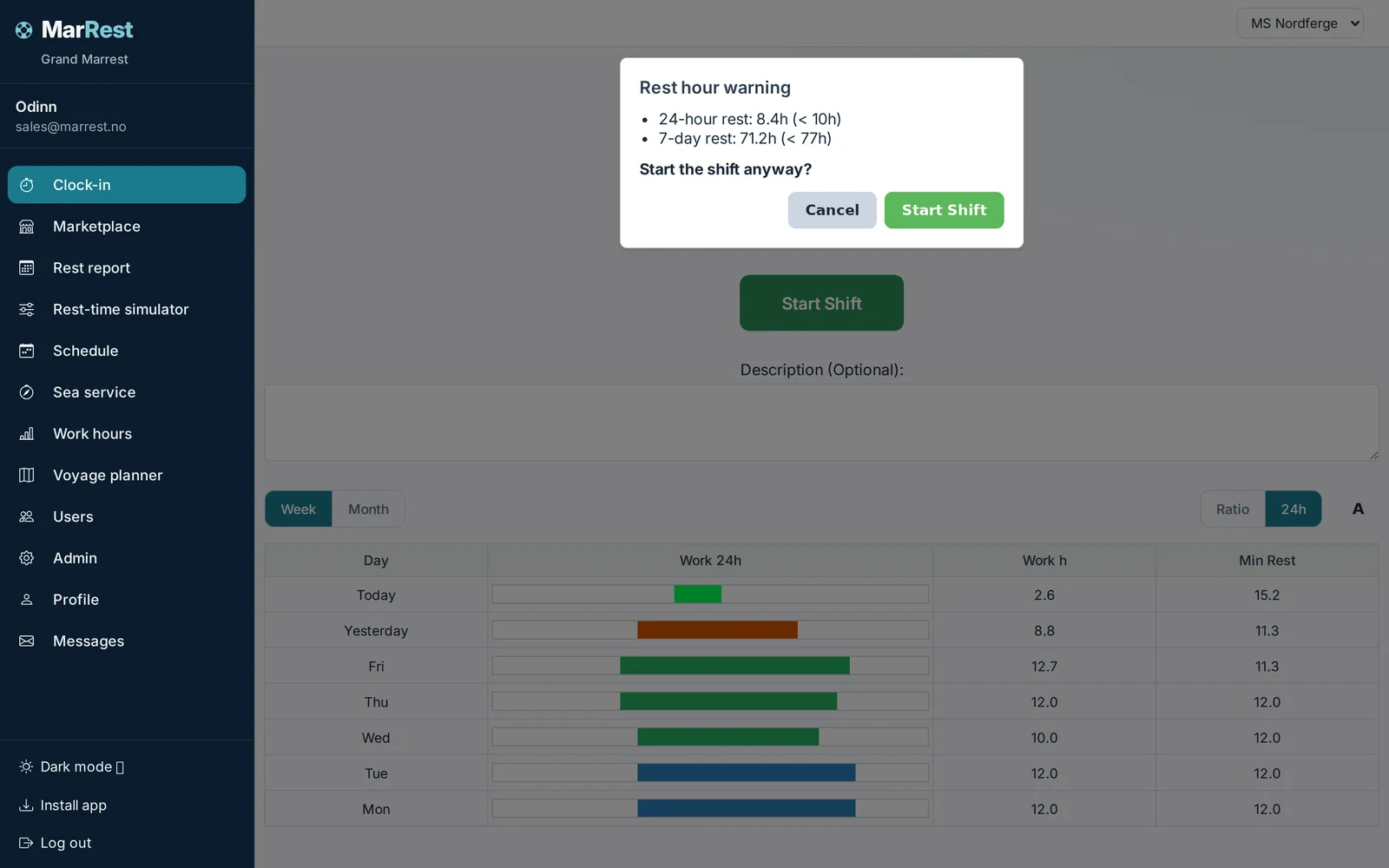
Clock-in is the daily MarRest screen: start or stop a watch on a vessel, see rest in the last 24 hours, and get a non-blocking warning if the planned end—or an assumed 12-hour duration when no planned end exists—could create a rest deficit. You can also start a published Vaktos or Deputy shift. The green, amber, or red status is the 24-hour rest indicator only, and it does not block Start.
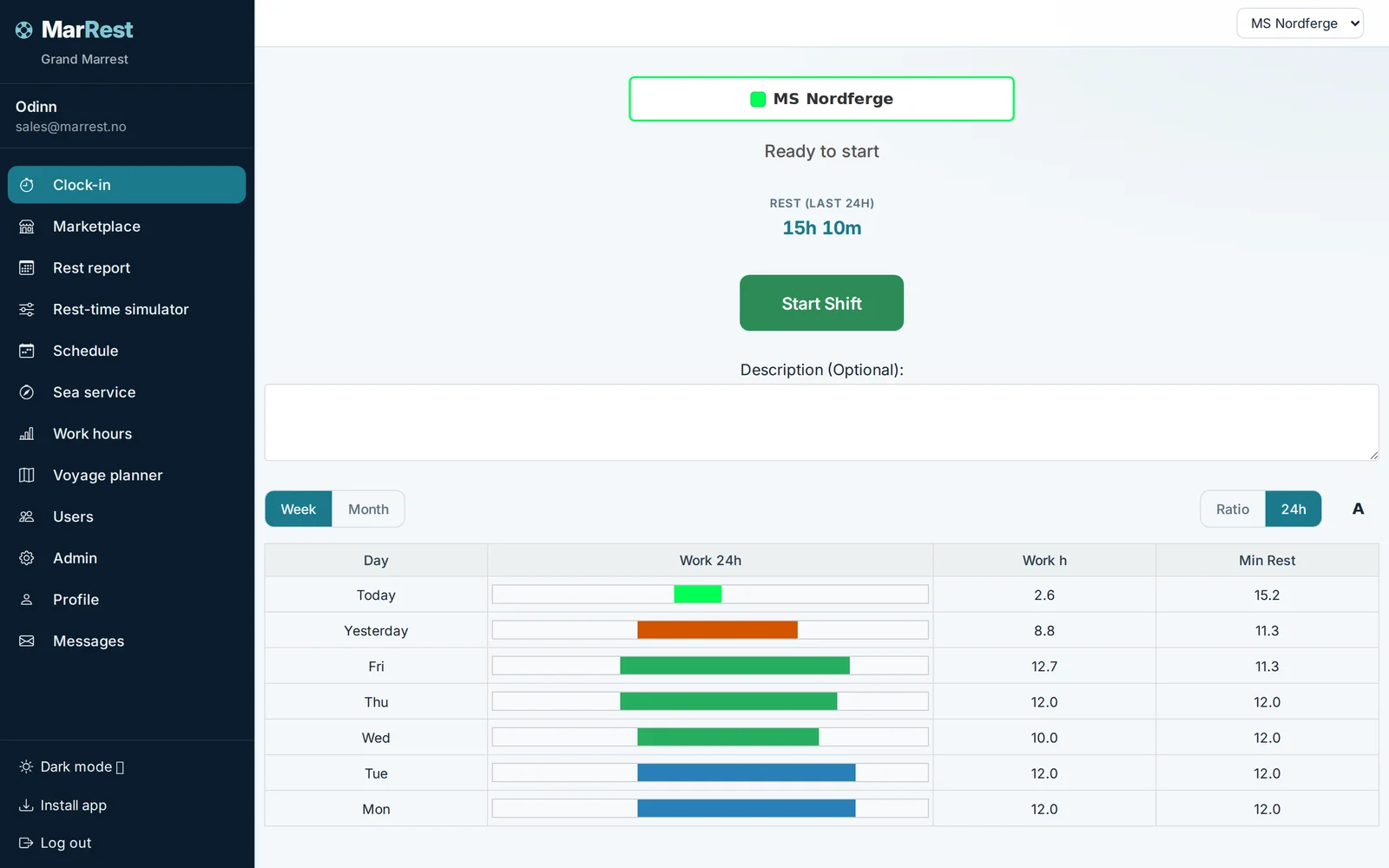
What you see before you start
If a watch is published from Vaktos — or imported from Deputy — it appears as a card: vessel, rank, times, Start, and Can't make it when the watch is still in the future. Rest in the last 24 hours is on the same page, plus rest at the planned end if one is set.
Before you tap Start, MarRest can show a non-blocking warning if the watch could create a rest deficit. The calculation uses the planned end when available and may assume a 12-hour duration when no planned end exists. The button is not locked.
Captains and admins can also record work for other crew. Shore-based users can manage records without being part of the vessel's rest-hour calculations. A locked month prevents new clock-ins for that vessel.
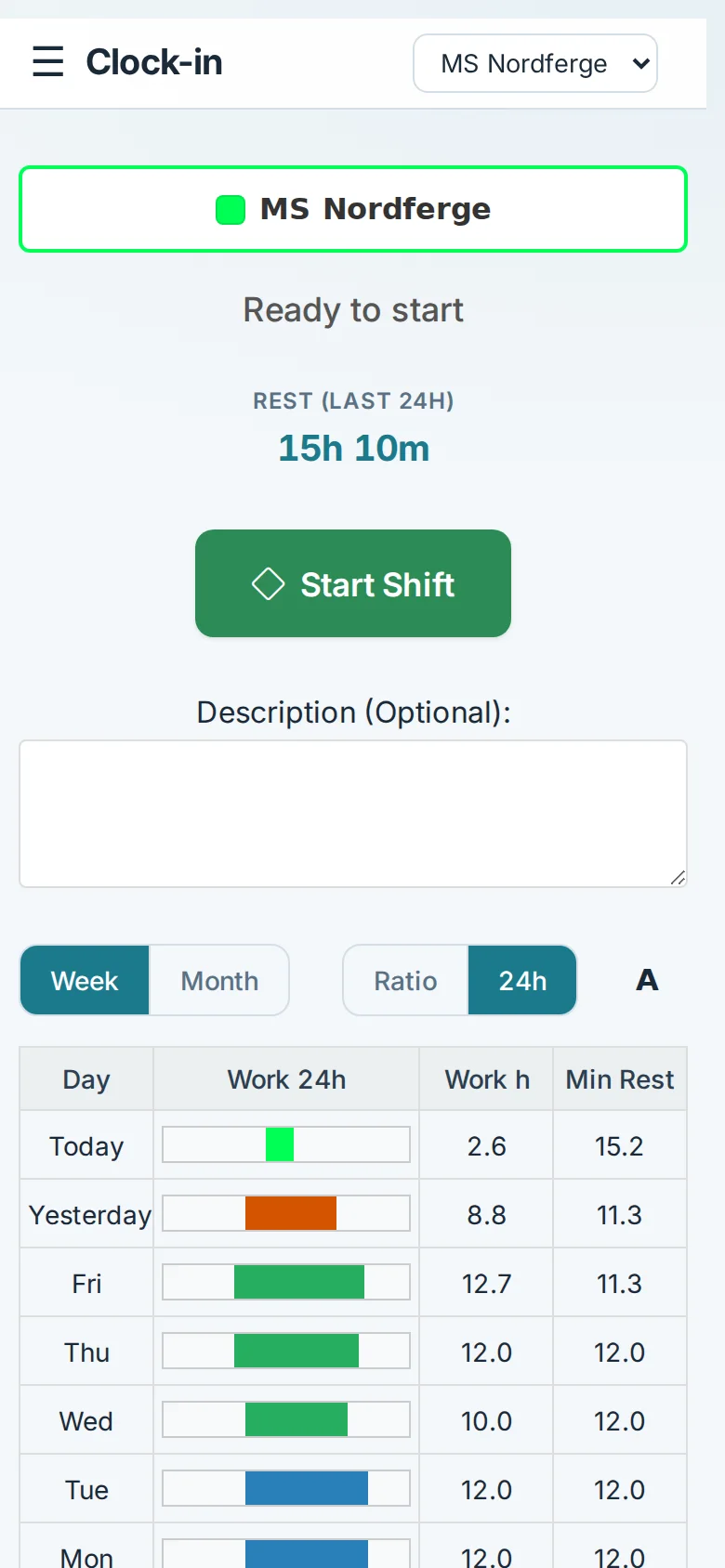
Phone, PWA, push
MarRest installs as a standalone app. Web push is available after install — reports to sign, rest infractions, and marketplace openings for Vaktos-linked crews. The app itself is Icelandic, Norwegian, or English, chosen in the profile.
What this is not
- Not a roster editor. The week board lives in Vaktos when you use it.
- Not an all-rules status. Green, amber, and red show the 24-hour rest indicator only: red below 10 hours, amber from 10 to under 11 hours, and green from 11 hours.
- Not an automatic lock or legal determination. The warning identifies a watch that needs review.
Frequently Asked Questions
Is this a shared-door kiosk?
No. Crew use their own MarRest account on their phone or vessel device.
Can I start a planned watch from the phone?
Yes. Published Vaktos or imported Deputy watches can be started from the Clock-in screen.
Does red rest lock the Start button?
No. Red is the 24-hour rest indicator below 10 hours. MarRest warns the crew member, but does not block the Start button.
See MarRest on your vessel
Request a free demo and walk through rest-hour logging with captains who built the system.
See MarRest on your vessel